
If your staff use a computer, laptop or tablet for an hour or more at a time as a normal part of their job, you are legally required to assess their workstation — and most employers either skip it or do it badly. A DSE assessment is a short, structured check of a person’s screen, chair, desk and working posture, designed to prevent the aches, eye strain and long-term musculoskeletal problems that screen work quietly causes.
This guide explains what a DSE assessment is, who legally needs one, what it covers, and how to do one properly — including for people working from home.
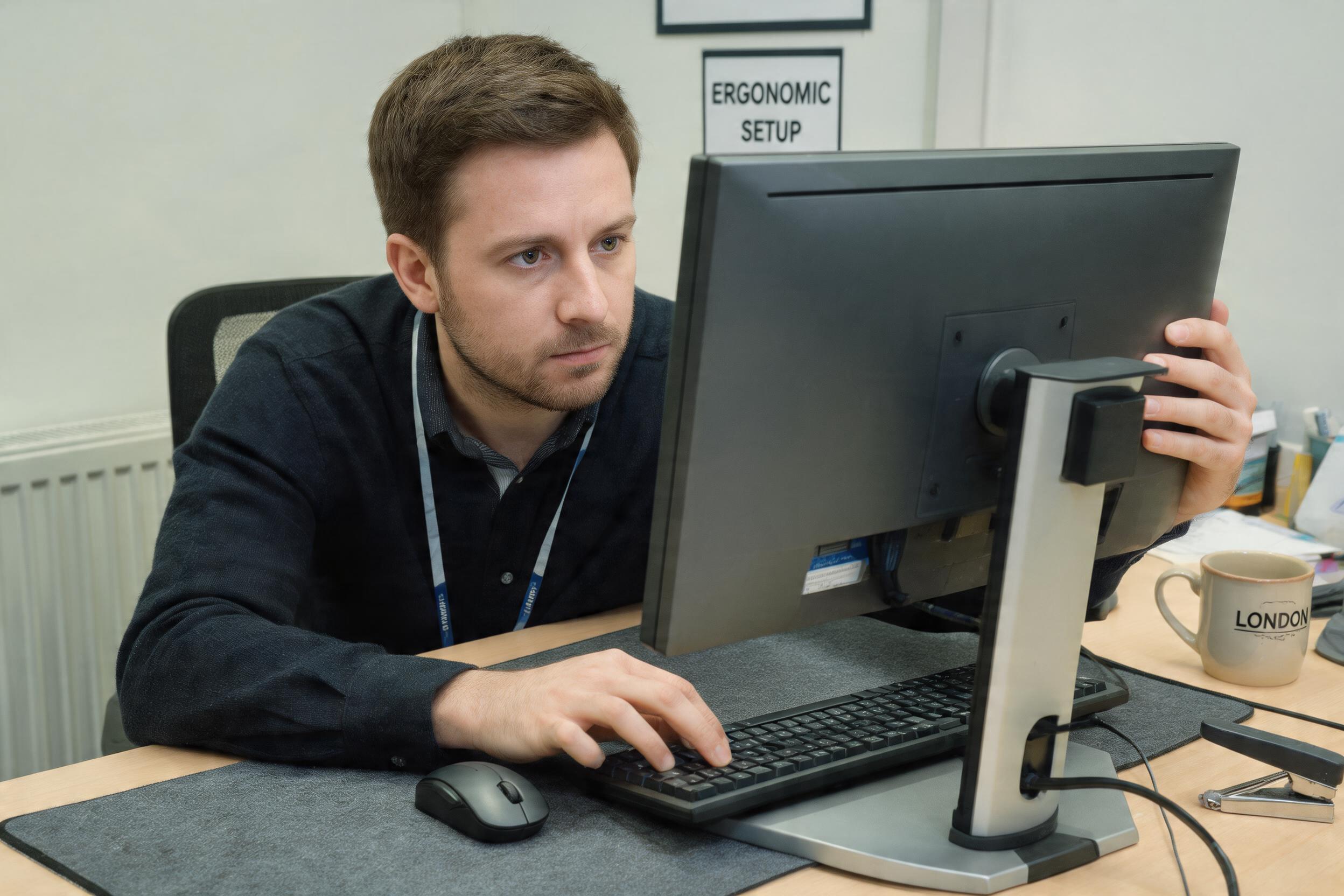
What DSE and a DSE assessment are
DSE stands for Display Screen Equipment — any device with a screen, including monitors, laptops, tablets and touchscreens. A DSE assessment is an examination of a workstation to make sure it is set up to reduce the risk of discomfort and injury to the person using it.
The duty comes from the Health and Safety (Display Screen Equipment) Regulations 1992. These sit alongside the general duty in the Health and Safety at Work etc. Act 1974 and apply wherever people use screens as a significant part of their work.
Who counts as a “DSE user”?
The Regulations apply to DSE “users” — and not everyone who occasionally opens a laptop is one. The HSE describes a user as someone who depends on DSE to do their job and normally uses it for continuous or near-continuous spells of an hour or more at a time, more or less daily.
A payroll clerk, a designer, a call-handler or an office administrator is a user. Someone who checks email for a few minutes here and there generally is not. If in doubt, the safe and simple approach is to assess anyone who spends a meaningful part of their day at a screen.
What the law requires employers to do
For DSE users, an employer must:
- Carry out a DSE workstation assessment and act on what it finds.
- Reduce risks, including making sure users take breaks or changes of activity — short frequent breaks are better than occasional long ones.
- Provide an eye test on request, and pay for basic corrective glasses if they are needed specifically for screen work.
- Provide health and safety training and information so users can set up and use their workstation safely.
None of this is expensive or difficult. The point is that screen-related problems build up silently over months, and a ten-minute assessment prevents most of them.
What a DSE workstation assessment covers
A good assessment works through the whole workstation and the person’s posture. The main areas are:
- Screen — top of the monitor roughly at eye level, about an arm’s length away, clean, with brightness and contrast comfortable and no glare or reflections.
- Keyboard and mouse — directly in front, wrists straight and supported, forearms roughly horizontal, mouse close to the keyboard.
- Chair — adjustable height and backrest, lower back supported, feet flat on the floor or on a footrest, thighs roughly horizontal.
- Desk — enough space to arrange equipment, no cramped or awkward reaching, cables managed.
- Environment — adequate lighting, comfortable temperature, enough space, manageable noise.
- Posture and habits — the person is sitting in a relaxed, supported position and taking regular movement breaks.
The best DSE assessment involves the user themselves — they know where the aches are, and they are the ones who have to work at the desk every day.

Homeworkers and hybrid working
The DSE Regulations apply to people working at home too, whether full-time or hybrid. You cannot always send someone to inspect a home office, so the practical approach is a self-assessment: the worker completes a simple DSE checklist and flags any problems, and the employer follows up. Laptops are a particular risk at home — used on a sofa or kitchen table for hours, they force a hunched posture. A separate keyboard, mouse and a laptop riser or second screen make a large difference.
Why it matters
Poor screen setups are one of the biggest causes of work-related musculoskeletal disorders — back, neck, shoulder, wrist and hand problems — plus eye strain, fatigue and headaches. These are exactly the kinds of gradual injuries a DSE assessment is designed to prevent, and they are far cheaper to prevent than to treat. A DSE assessment is really a focused form of risk assessment applied to screen work.
Further reading
- HSE — Working safely with display screen equipment
- Health and Safety (Display Screen Equipment) Regulations 1992
- HSE INDG36 — Working with display screen equipment
Frequently asked questions
What is a DSE assessment?
A DSE (Display Screen Equipment) assessment is a structured check of a person’s workstation — their screen, keyboard, mouse, chair, desk, working environment and posture — to make sure it is set up to reduce the risk of discomfort and injury from screen work. It is required by the Health and Safety (Display Screen Equipment) Regulations 1992 for employees who use screens as a significant part of their job.
Who counts as a DSE user?
A DSE user is someone who depends on display screen equipment to do their job and normally uses it for continuous or near-continuous spells of an hour or more at a time, more or less daily. Office administrators, designers, call-handlers and payroll staff are typically users; someone who only checks email briefly here and there generally is not. If in doubt, it is simplest to assess anyone who spends a meaningful part of their day at a screen.
Is a DSE assessment a legal requirement?
Yes, for DSE users. Under the Health and Safety (Display Screen Equipment) Regulations 1992, employers must carry out a workstation assessment for users and act on it, reduce risks including ensuring regular breaks, provide an eye test on request (and basic glasses if needed specifically for screen work), and provide health and safety training and information.
Do DSE assessments apply to people working from home?
Yes. The DSE Regulations apply to homeworkers, whether full-time or hybrid. Because it is not always possible to inspect a home workstation, the practical approach is a self-assessment: the worker completes a DSE checklist and flags problems, and the employer follows up. Laptops are a particular risk at home, so a separate keyboard, mouse and a riser or second screen help significantly.
What does a DSE assessment check?
It checks the screen (height, distance, glare), the keyboard and mouse (position and wrist posture), the chair (adjustability and back support), the desk (space and layout), the environment (lighting, temperature, space and noise), and the person’s posture and break habits. The most effective assessments involve the user directly, since they know where any discomfort is.
DSE awareness training
Our Display Screen Equipment (DSE) Awareness course shows screen users how to set up their own workstation, recognise the risks, and work comfortably — and helps employers meet their duty under the 1992 Regulations.
Related: What is a risk assessment? · Is lone working legal? · Manual handling injuries
£9 per course. CPD accredited, 100 % online, verifiable e-certificate on completion. Pay for 2, get 3 — any 3 courses for £18.
Please note: this is a CPD-accredited awareness course and general guidance, not a substitute for a workstation assessment carried out for an individual, or for occupational-health or ergonomic advice where someone has a specific health condition or ongoing symptoms. It is not an Ofqual-regulated qualification.